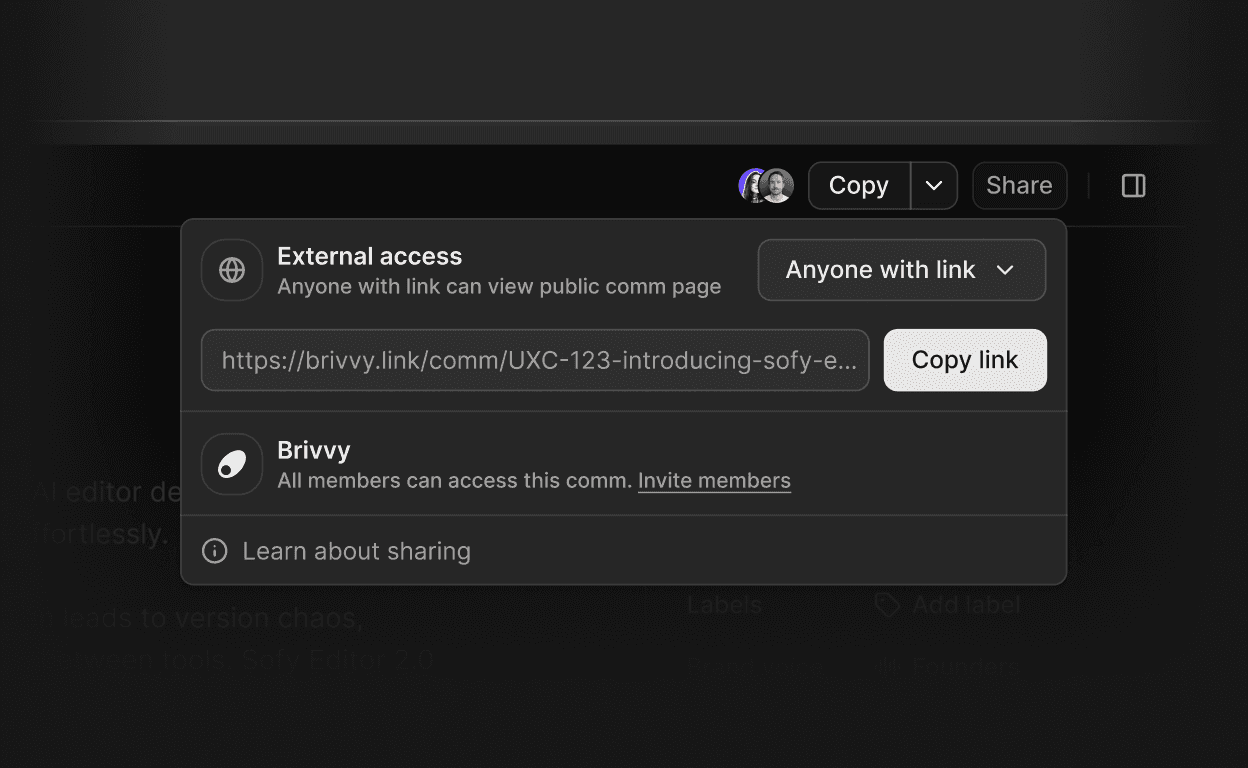
Sharing a comm no longer means sharing workspace access. Generate a public read-only link, and send polished communications to clients, investors, partners or any third party. No Brivvy account is required to view.
Enable external access from the Share menu in one step: set External access to "Anyone with link" and Brivvy generates a public URL instantly
Recipients see a clean, read-only page with full comm content - no editing, no comments, no workspace access
Revoke access at any time by switching External access back to "Not shared" - the link is disabled immediately
Regenerate the link to invalidate a previously shared URL without disabling access entirely
Available on all Brivvy plans
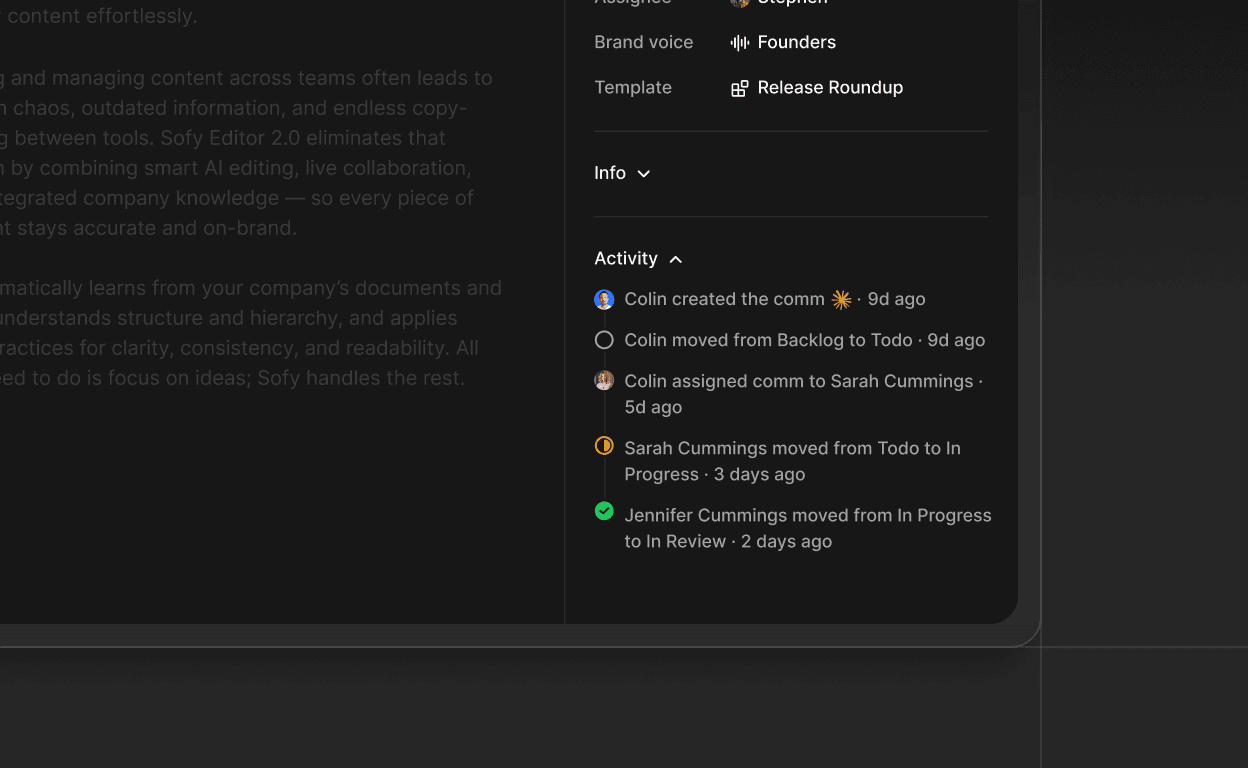
Every change made to a comm is now tracked and visible. The activity panel in the comm details sidebar shows who did what and when, so teams stay aligned without needing to ask.
Track comm creation, status changes and assignee updates in one place
See which team member made each change and the exact time it happened
Rapid back-to-back changes by the same user are consolidated to keep the history clean
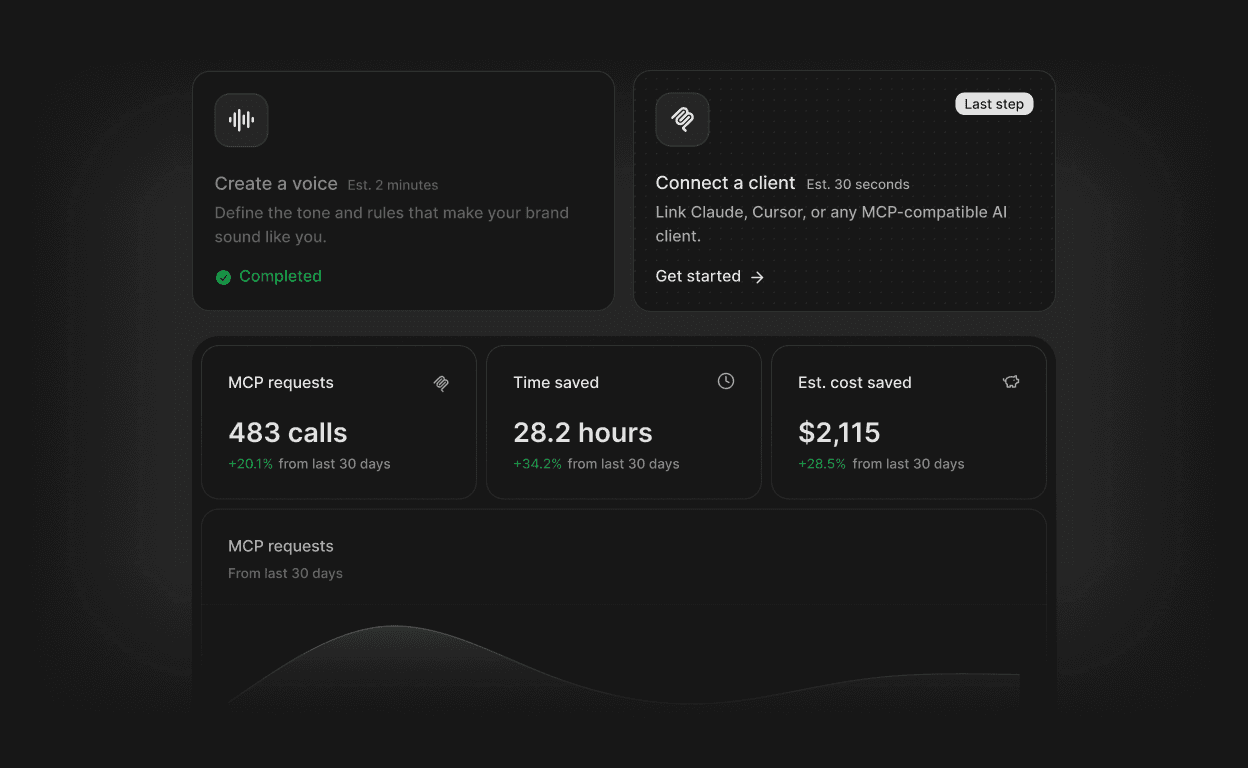
There is now a single place to understand how a workspace is performing. The home page surfaces usage trends, the most active Voices and Templates, and workspace setup status, all without leaving the app.
Usage chart: Track comm generation activity over 7, 30 or 90 days with an area chart that adapts to available data.
Top Voices and top Templates widgets: See which configurations get used most, giving teams a signal on what is working.
Onboarding widgets: Step-by-step setup cards guide new workspaces through creating a Voice, connecting MCP and inviting members, with "Start here" and "Last step" progress indicators.
Connected clients panel: Once setup steps are complete, the home page displays active MCP client connections in one view.
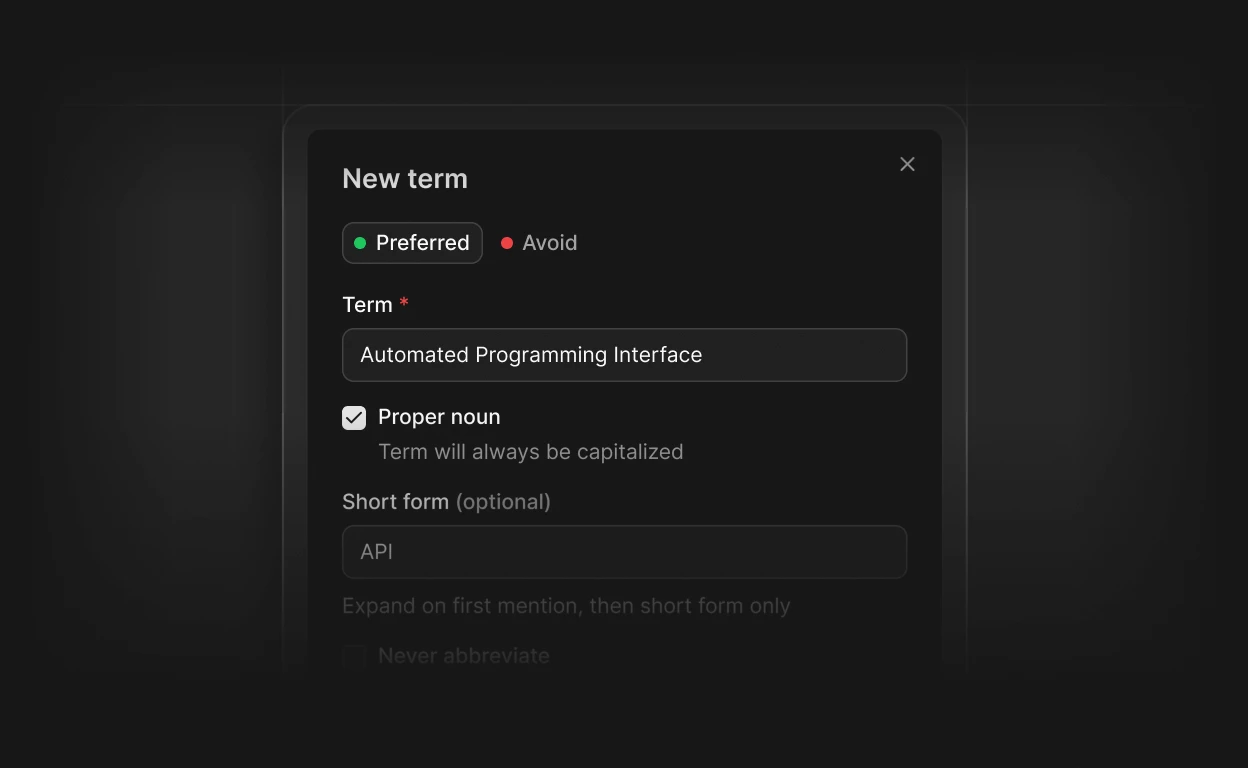
Terminology mistakes in AI-generated content are no longer a manual fix. Define preferred terms, flagged phrases and replacement rules in one place, and Brivvy applies them automatically every time a comm is generated.
Glossary page: Add terms with short forms, abbreviation settings and words to avoid, organized under All, Preferred and Avoid tabs.
Automatic enforcement in comms: Glossary rules apply at generation time, not just stored for reference.
MCP integration: AI clients connected via MCP receive glossary context, keeping terminology consistent across every tool in the workflow.
10 terms free: Free workspaces support up to 10 glossary terms.
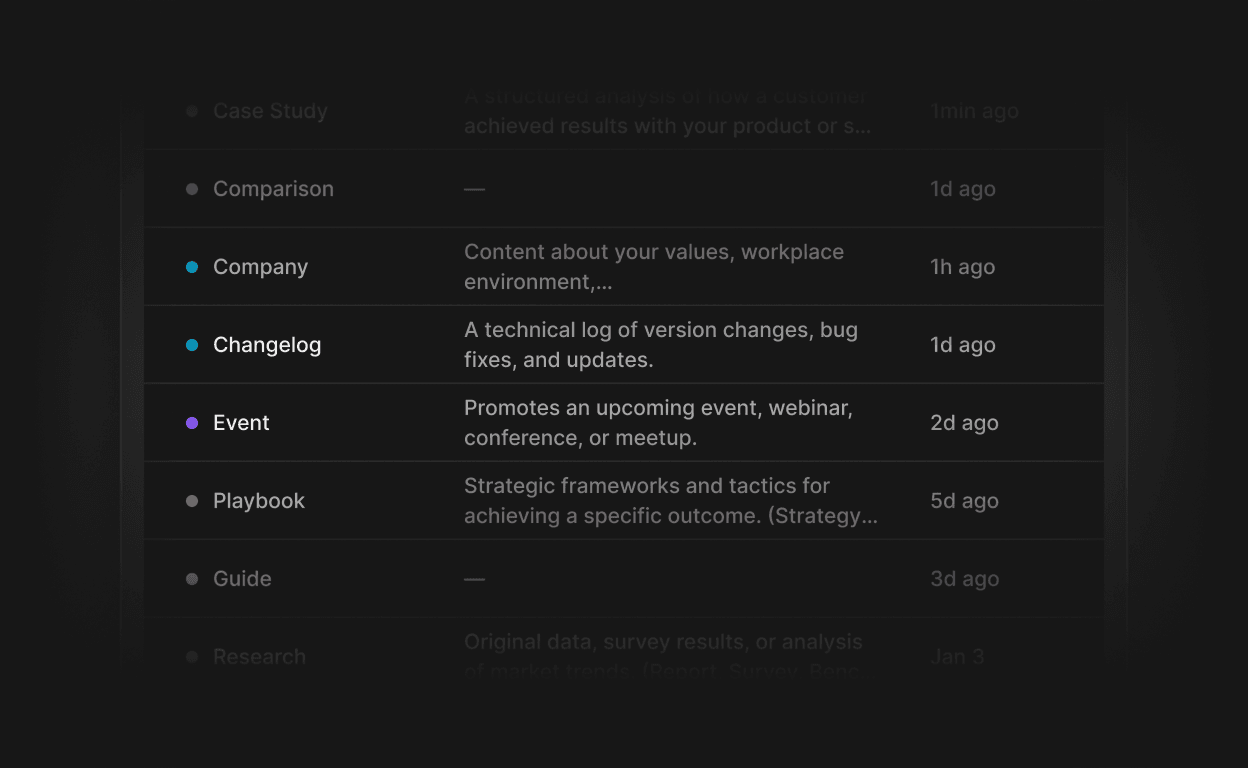
You can now tag your templates and content with custom Labels. Create labels in workspace settings, apply them as you work, and filter your template library by label to find what you need faster.
Flexible label management: create, update and delete labels from a dedicated Labels page in workspace settings, with color selection and optional descriptions.
Inline creation: apply an existing label or create a new one without leaving your current workflow.
Visual label chips: labels appear as color-coded chips on templates, with a hover tooltip showing the full description.
Replaces categories: labels are now the single system for organizing templates, with automatic migration of existing category data.
Filter by label: the template list supports label-based filtering so you can narrow down your library in a few clicks.
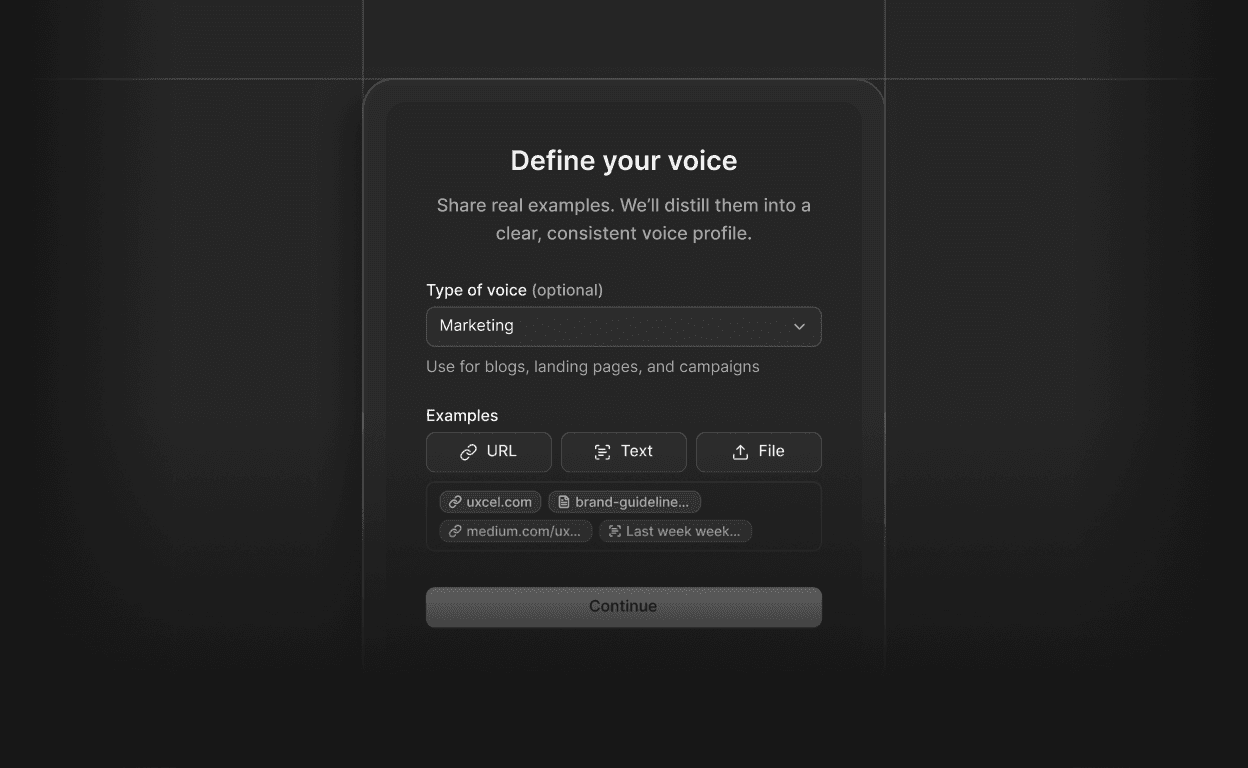
You can now create a brand voice directly from your existing content. Upload a file, paste a URL, or walk through the guided wizard, and Brivvy extracts your tone, style rules and examples into a ready-to-use voice configuration.
Wizard-guided setup: a step-by-step flow walks you through brand voice creation, with a multi-action button to start from scratch or from existing content.
File and URL ingestion: upload documents or point to a URL, and the extraction process pulls the relevant voice signals automatically.
AI-powered extraction: the system maps your source material to a structured brand voice, including tone dimensions, rules and validated examples.
Generation status tracking: real-time status updates keep you informed while your brand voice is being built.
Reliable failure handling: if extraction does not complete, the process cleans up automatically so you can try again without manual intervention.
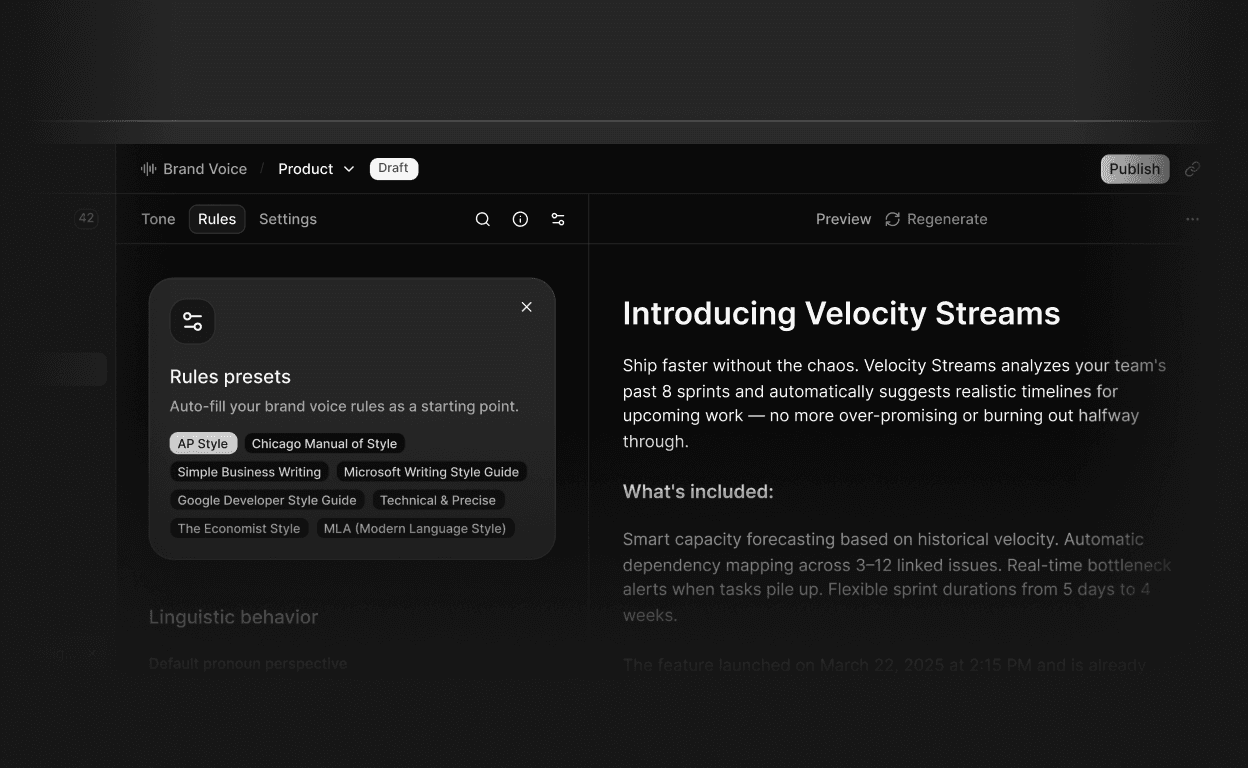
AI now shows its work before content is created. The new AI Preview panel in both Voice and Templates gives a real-time view of exactly how AI will shape prompts and information, so teams can fine-tune configurations to get precisely the output they want, every time.
Available in Voice: generate a live preview of how voice rules will influence AI output before committing to any settings
Available in Templates: see a full preview of AI-generated content based on the active template prompt, rendered in real time as it streams
Select a preview theme to simulate output across different industries, giving better signal for how the AI will perform in context
Regenerate previews on demand to test variations and lock in exactly the right configuration
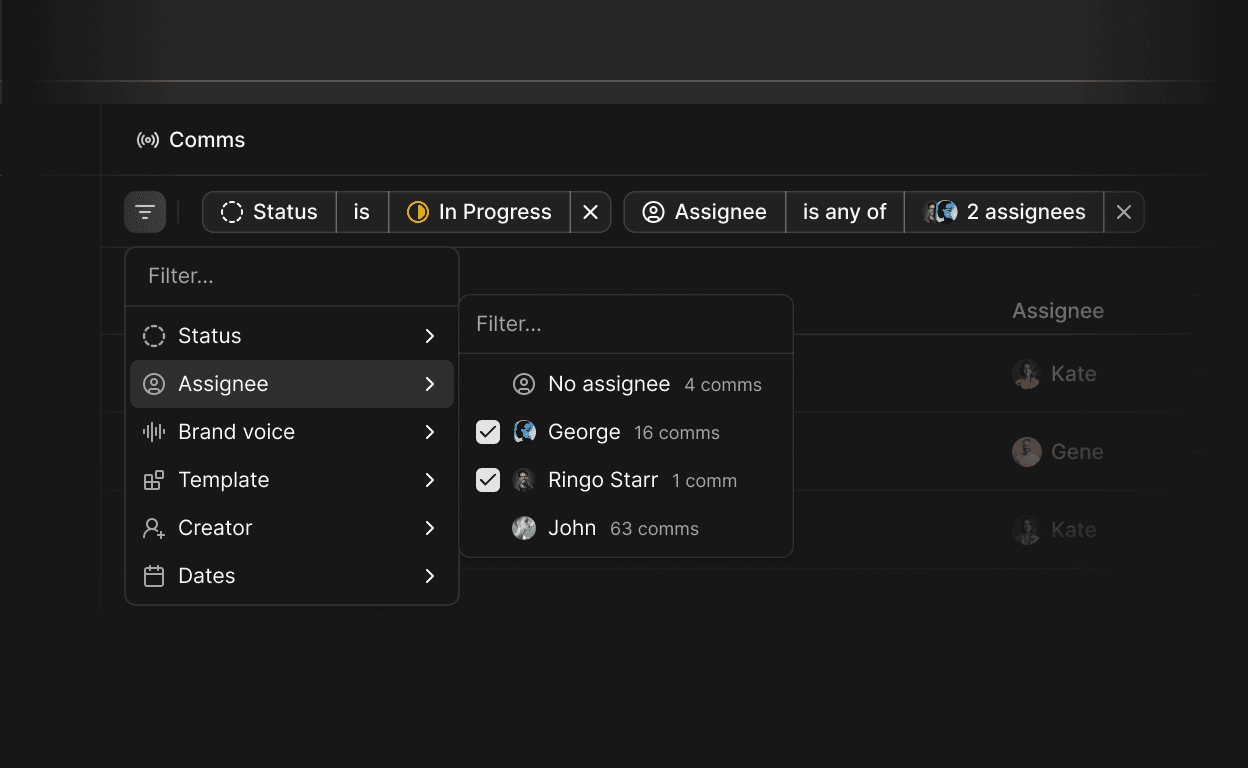
Navigating large lists is faster and more precise. Filters for brand voice, template, status and more let teams surface exactly what they need without scrolling.
Filter by parameters and properties
Activate search instantly with
Cmd/Ctrl + FContext menu on table rows replaces the single action button, giving quicker access to all actions
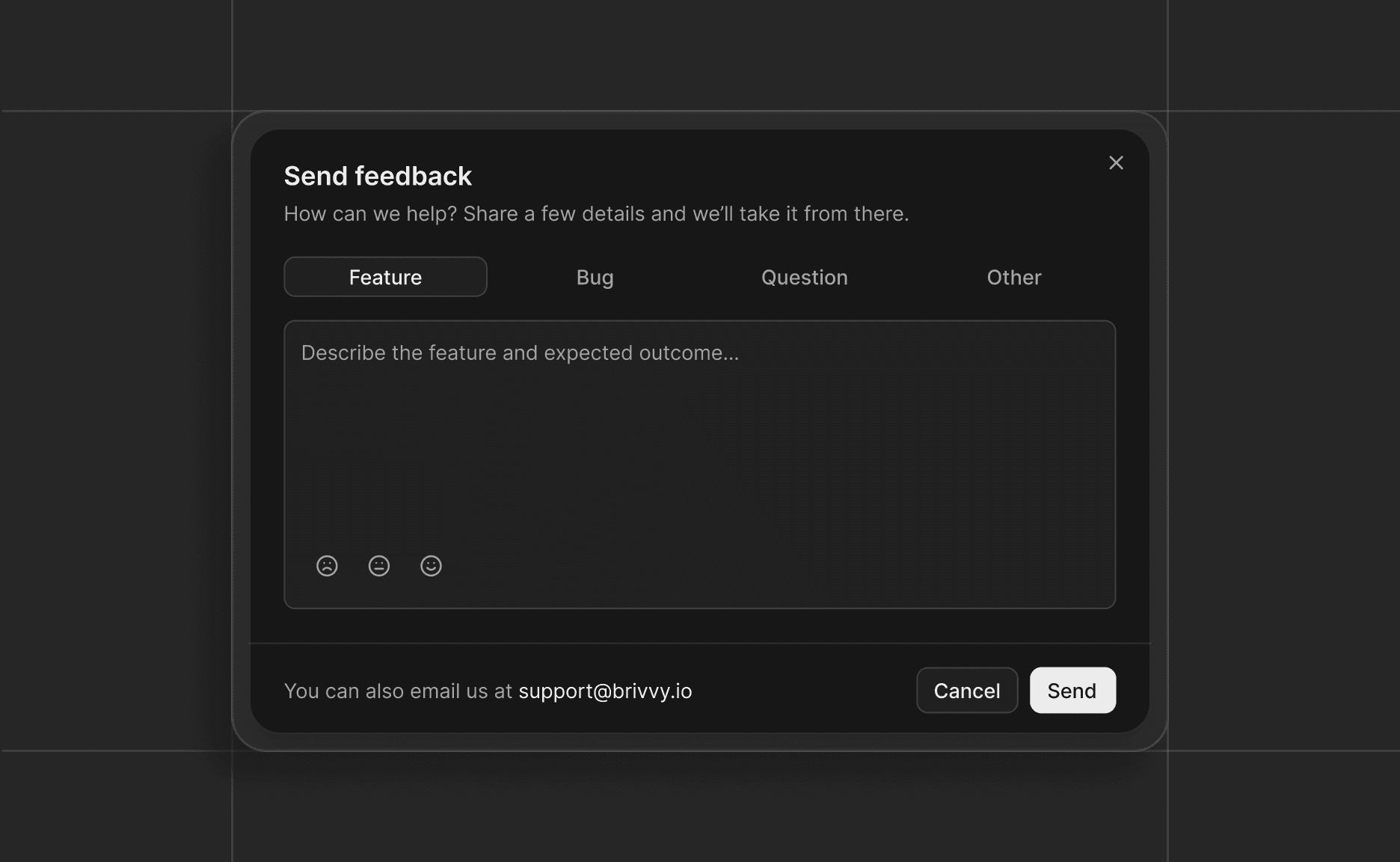
Listening to the people who use Brivvy every day is not an afterthought, it is how the product gets built. The new feedback widget makes it easy to share a bug, request a feature or ask a question directly from the app.
Access Leave Feedback from the quick action buttons in the sidebar
Submit bug reports, feature requests, questions or general feedback
Responses go directly to the Brivvy team in real time
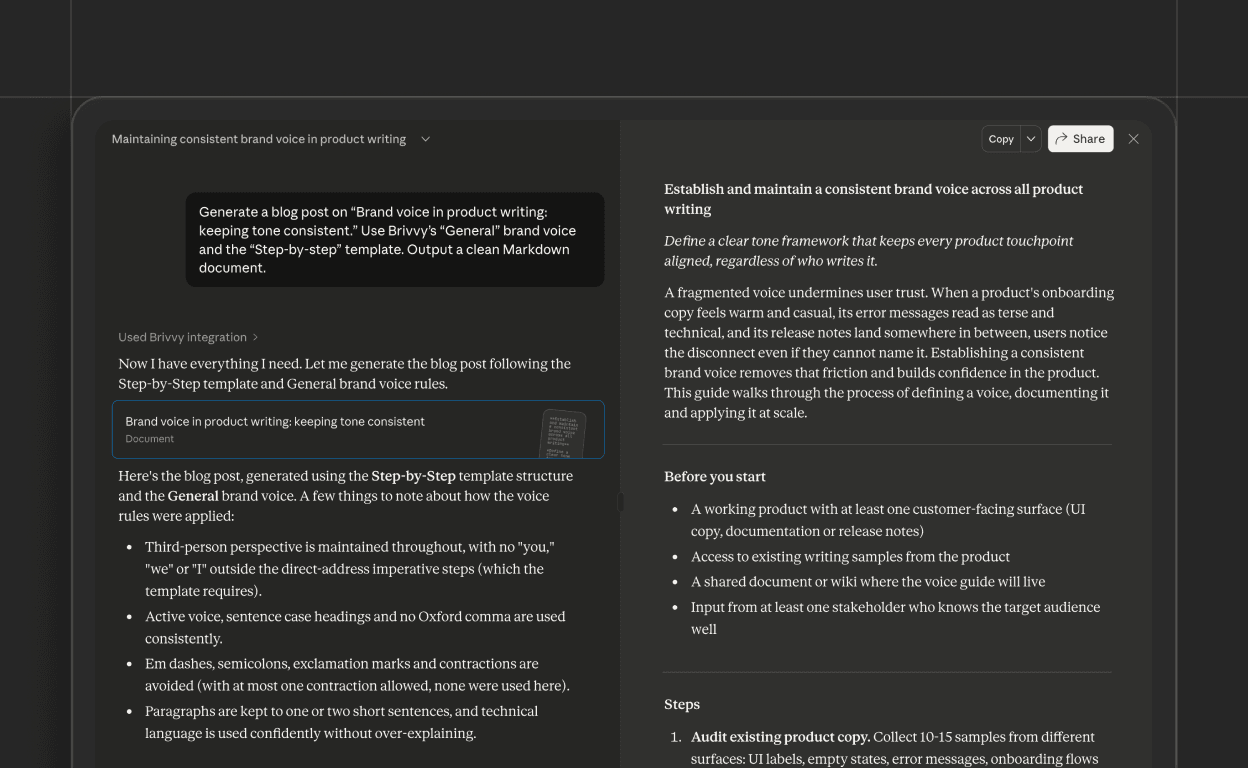
Teams can now generate on-brand content without leaving their AI workflow. The Brivvy MCP server integrates directly with Claude, allowing users to create documents, apply brand voices and leverage templates in a single conversation.
Access all workspace brand voices from within Claude conversations
Generate documents from markdown with proper formatting and structure
Create new communications that automatically apply brand guidelines
Maintain consistency across all AI-generated content without switching tools